Business / Printer comparison
2026 FDM 3D Printers Compared: What Your Money Actually Buys
A second nozzle, a heated chamber, or a bigger bed can change what you make. A larger speed number may change much less. Here is how nine selected 2026 desktop printers—and their relevant bundles—stack up for U.S. buyers.
This is a researched specification comparison, not a hands-on group test. Prices are U.S. dollar references checked against manufacturer announcements and storefronts; promotions, bundles, taxes, shipping, and availability differ. Product images are manufacturer-supplied assets, not AI-generated illustrations. Images are hosted on this website; original manufacturer sources are credited below.
Bambu Lab X2D
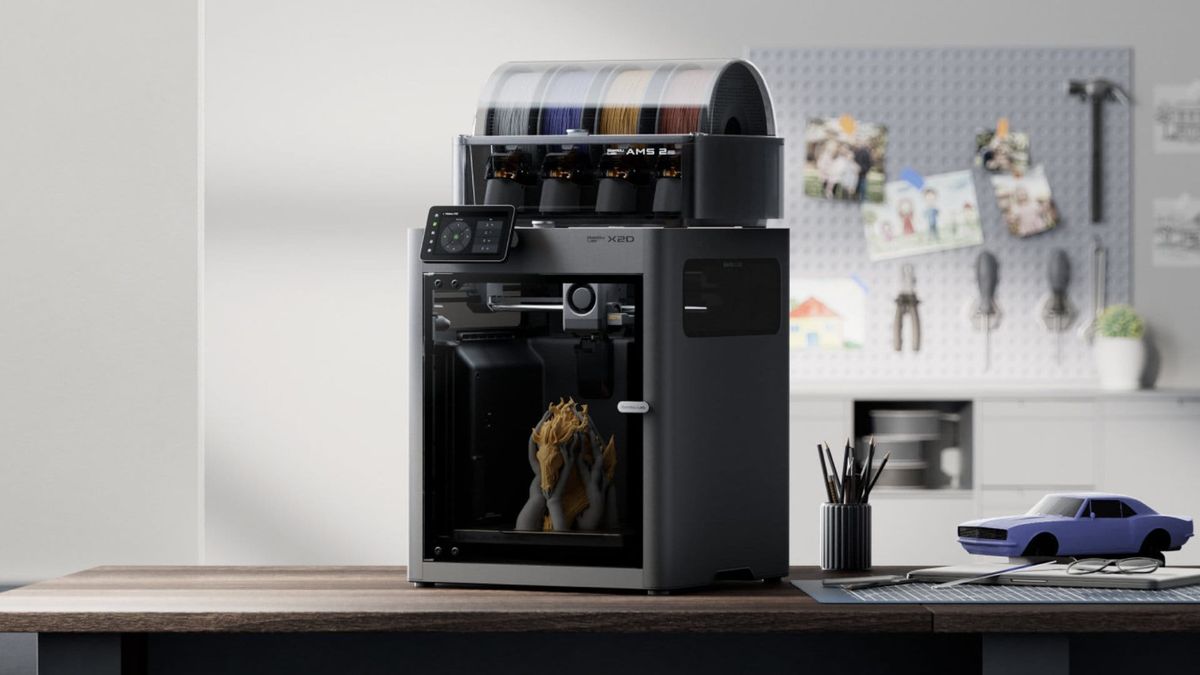
The X2D makes the most sense when supports are the part of printing you dread. Its two nozzles let the main material and a support material use separate extrusion paths. That gives it a practical role beyond decorative color: parts with difficult undersides, recessed features, or support interfaces that otherwise need a lot of cleanup.
The main nozzle has a 256 × 256 × 260 mm working area, but the shared area for both nozzles is smaller: 235.5 × 256 × 256 mm. That distinction matters when a supported model nearly fills the bed. A 300°C nozzle limit and a chamber heated to 65°C broaden the material options. The U.S. launch price was $649, or $899 for the Combo.
My take: this is the sensible Bambu option for a maker who needs a second material regularly but cannot justify the H3C's price. Before buying, slice one of your own supported parts and check the shared build area. Two nozzles also do not make every filament pairing compatible; support settings, material adhesion, and the auxiliary feed path still deserve attention.
Bambu Lab H3C
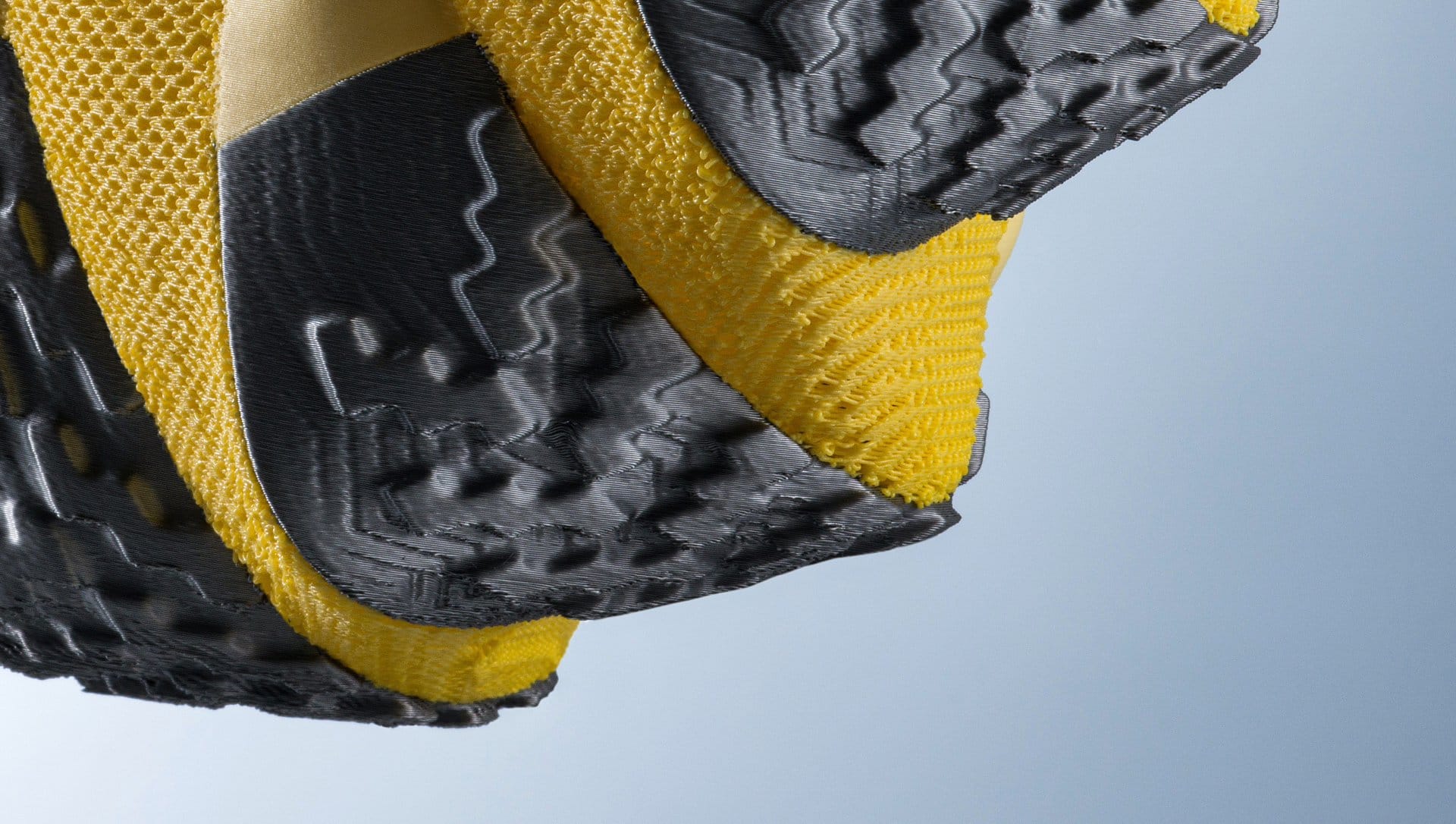
At $2,499 with its material system, the H3C needs to earn its bench space. Bambu's nine-tool Swaptek platform targets jobs that mix several materials or nozzle setups. That is a bigger commitment than simply adding more spool positions to a conventional printer, and it is most interesting when the extra tools solve a recurring production problem.
The published build volume is 330 × 320 × 325 mm. A 350°C nozzle ceiling, 120°C bed, and 65°C actively heated chamber give it more thermal headroom than the inexpensive open machines here. Bambu announced the printer on November 3, so its long-term ownership record is still developing at the time of writing.
My take: put it on the shortlist for demanding prototypes, frequent support-material work, or a business that can put several tools to use. For mostly single-color PLA, the purchase is harder to defend. Compare the complete cost of the required tools, material handling, and maintenance with the time saved on your actual files. Nine tools are valuable only when your projects benefit from them.
Flashforge Creator 5
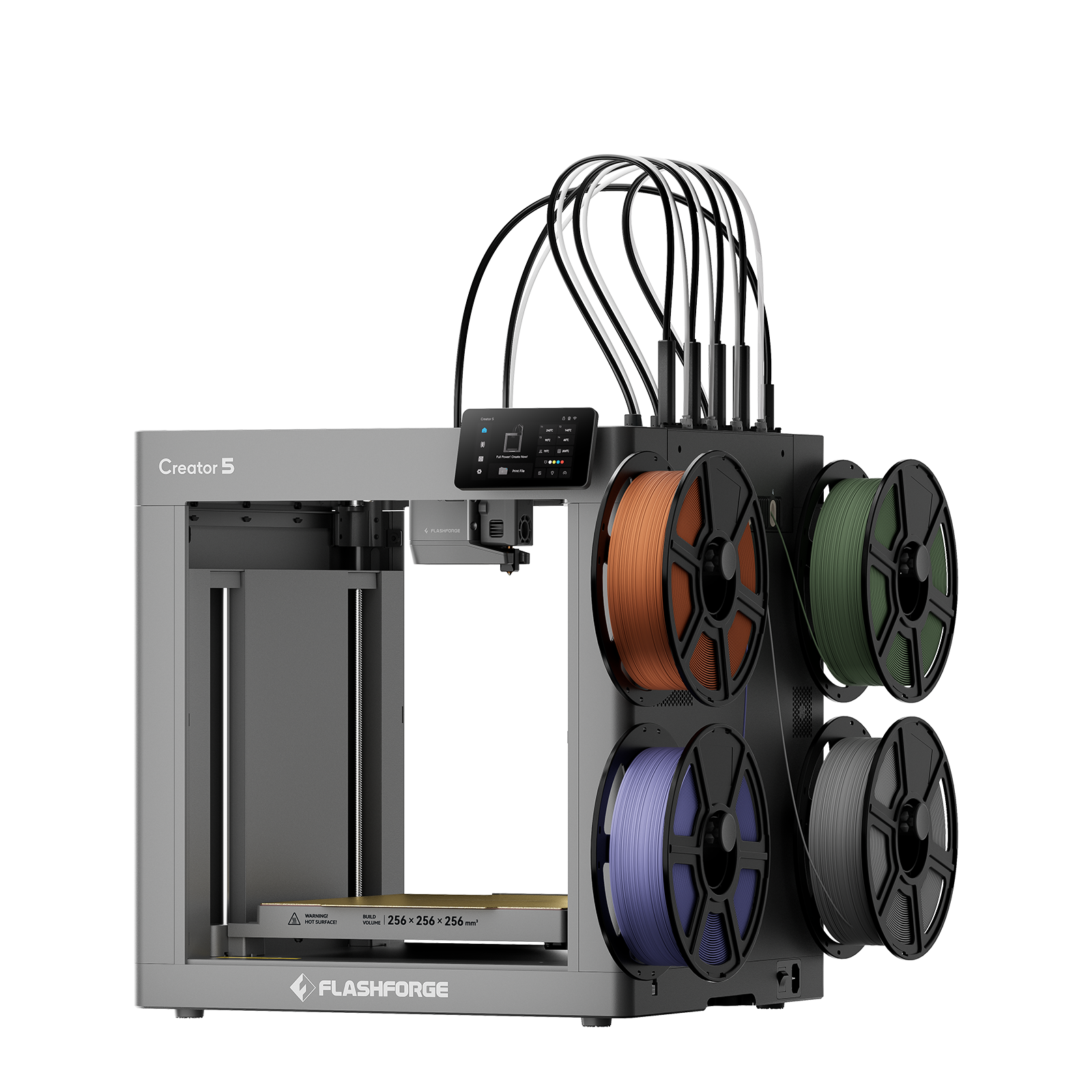
The Creator 5 brings four independent toolheads to a $699 U.S. listing. Each material can stay in its own nozzle while unused heads sit in their docks. For a model with hundreds of color changes, that arrangement can avoid repeatedly flushing one shared nozzle. It also opens up support-material experiments without buying the much more expensive H3C.
All four heads can use the 256 × 256 × 256 mm build area. Flashforge lists 320°C nozzles and a 120°C bed. Read the speed figures carefully: the specifications distinguish 300 mm/s maximum printing from 600 mm/s travel. Comparing that travel number with another printer's extrusion speed would give a misleading result.
My take: the standard Creator 5 is the more focused purchase for PLA, PETG, and routine four-material projects. Its open frame is the compromise. If you expect to spend much time with materials that need a controlled warm environment, price the Pro before ordering. Also budget for several nozzles and clean docking surfaces; a tool changer introduces more components to keep in good condition.
Flashforge Creator 5 Pro

The Creator 5 Pro asks $849 on the U.S. storefront, a $150 premium over the standard machine in this comparison. The extra money buys an enclosed build area with active heating up to 65°C, filtration, and additional chamber controls. For someone moving from display models to functional parts, those changes are more relevant than another headline speed figure.
It retains four independent toolheads, a 256 mm cube build volume, 320°C nozzles, and a 120°C bed. The official specification still lists 300 mm/s printing and 600 mm/s travel. You get the same basic tool-changing proposition, with a more controlled environment for temperature-sensitive filaments.
My take: this is the most persuasive specification-based value here for four-tool printing with a heated chamber. The standard model remains reasonable if PLA accounts for nearly everything you make. Choose the Pro upfront if chamber control matters: Flashforge says adding a passive enclosure to a Creator 5 does not recreate the Pro's built-in heating system. Filament drying remains a separate consideration, especially for nylon.
Anycubic Kobra 4 and Kobra 4 Combo
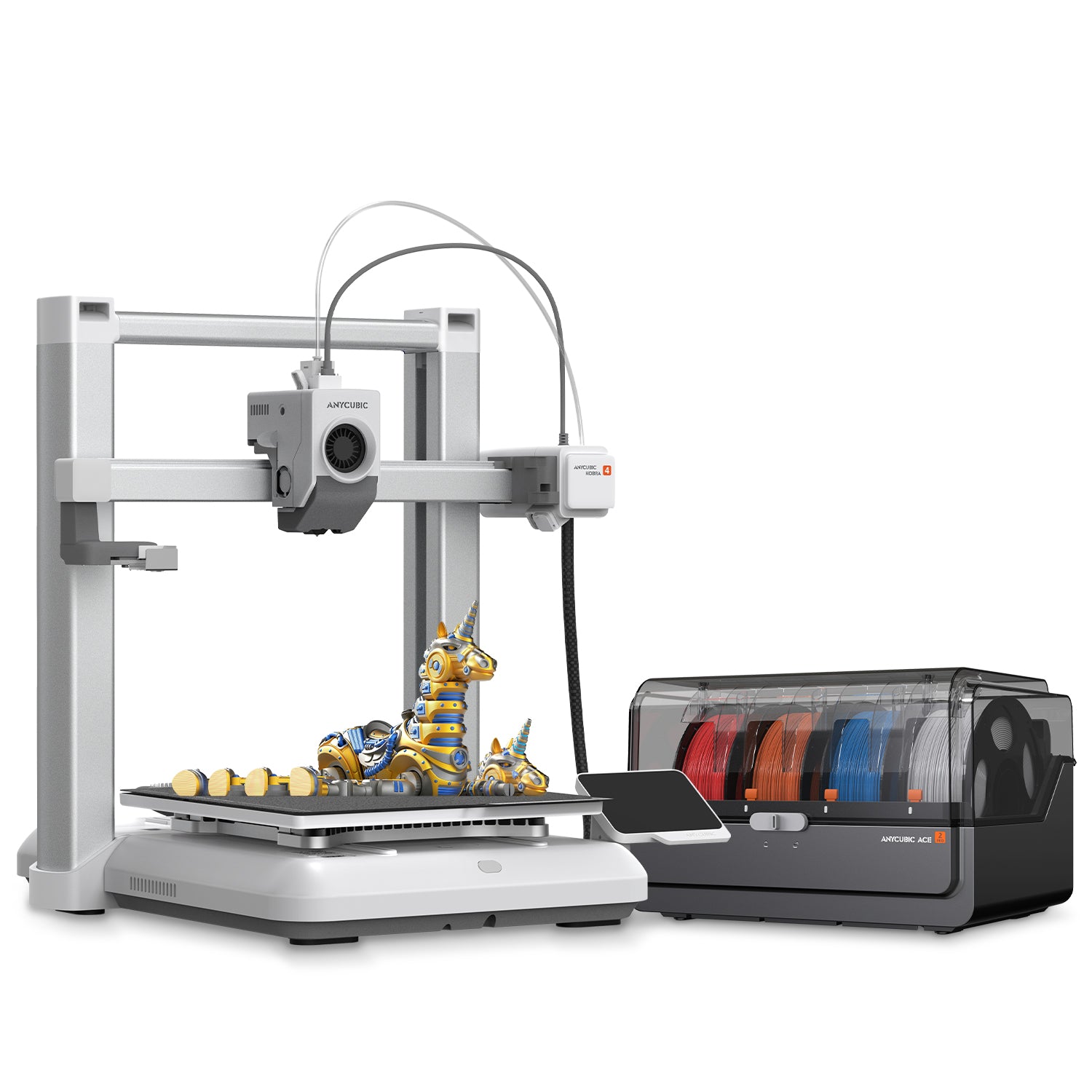
The Kobra 4 is the straightforward budget entry: $199 in Anycubic's U.S. holiday promotion, or $299 for the Combo. The printer is the same in both packages. The Combo adds an ACE 2 Pro, bringing four-color feeding and active filament drying; eight colors require additional hardware.
A 260 × 260 × 260 mm build area gives it useful room for organizers, brackets, toys, and classroom projects. Anycubic specifies 300 mm/s as the recommended printing speed and 600 mm/s as the maximum. Its published nozzle and bed limits are 300°C and 100°C. The open frame makes everyday PLA and PETG work a more natural fit than ambitious thermal-material experiments.
My take: buy the standalone printer if most of your files use one color. Buy the Combo when color and the included drying unit are both useful. Its shared nozzle must unload, load, and clear material during changes, so check the slicer's time and filament estimate before committing to a highly detailed multicolor model. A low purchase price does not automatically mean a low cost per finished print.
Anycubic Kobra X
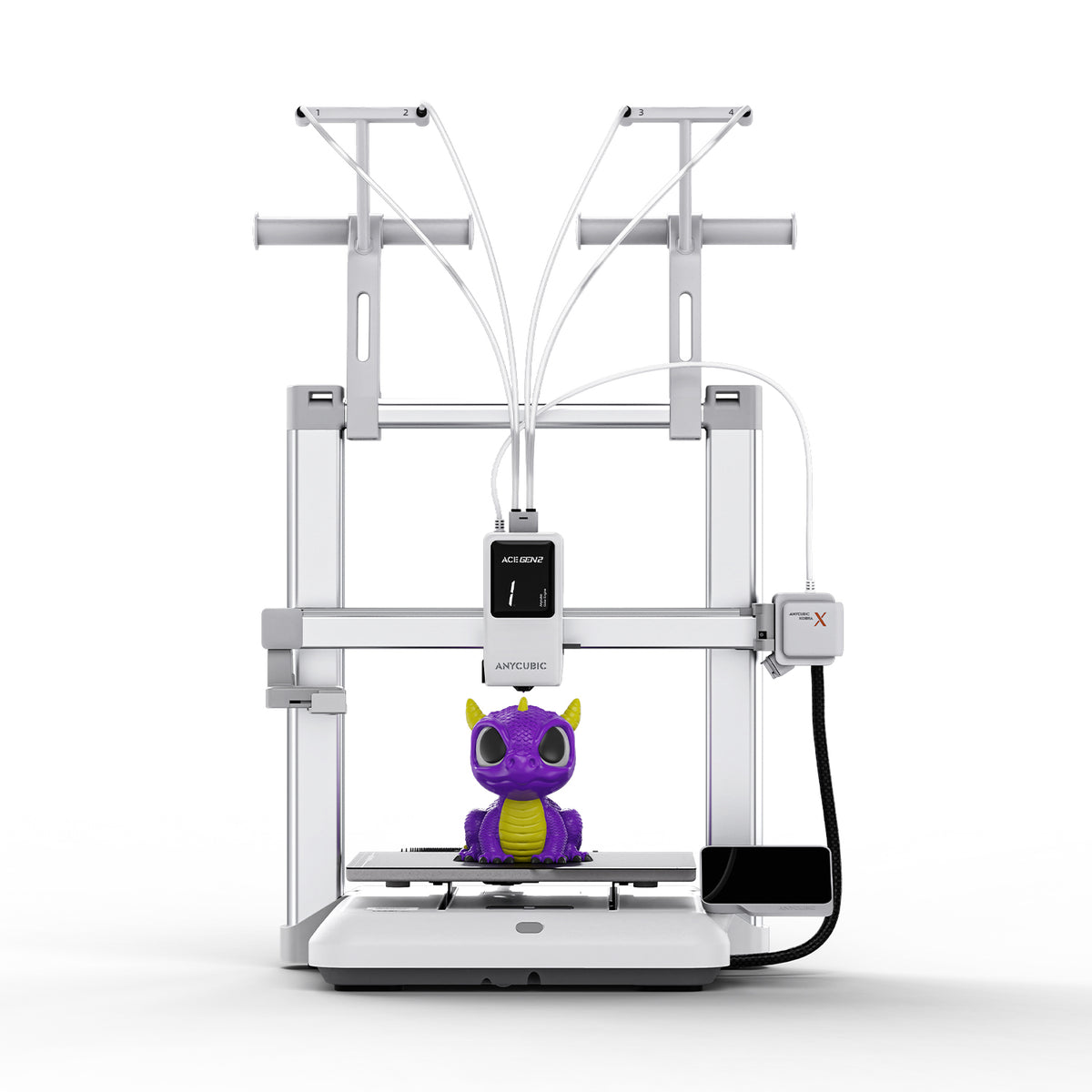
The Kobra X changes the budget comparison because four-color printing is built into the base machine. It does not require the Kobra 4 Combo's separate feeder just to reach four colors. Anycubic's U.S. promotional table lists it at $279, with the expanded Combo at $469. The manufacturer's global store shows different pricing, which is why regional listings matter.
Its 260 × 260 × 260 mm build volume matches the Kobra 4. Published limits are 300°C at the nozzle and 100°C at the bed, with 300 mm/s recommended printing and a 600 mm/s maximum. More colors are possible with extra feeding hardware; the advertised 19-color ceiling is not the configuration included at the base price.
My take: for colorful PLA models on a tight budget, this deserves a close look alongside the Kobra 4 Combo. The decision is about the entire setup: integrated color handling versus a bundle that includes a drying unit. Do not pay for the maximum color count unless you already have a project that needs it. Four well-chosen colors can do plenty for signs, labels, and display pieces.
Creality SPARKX i8
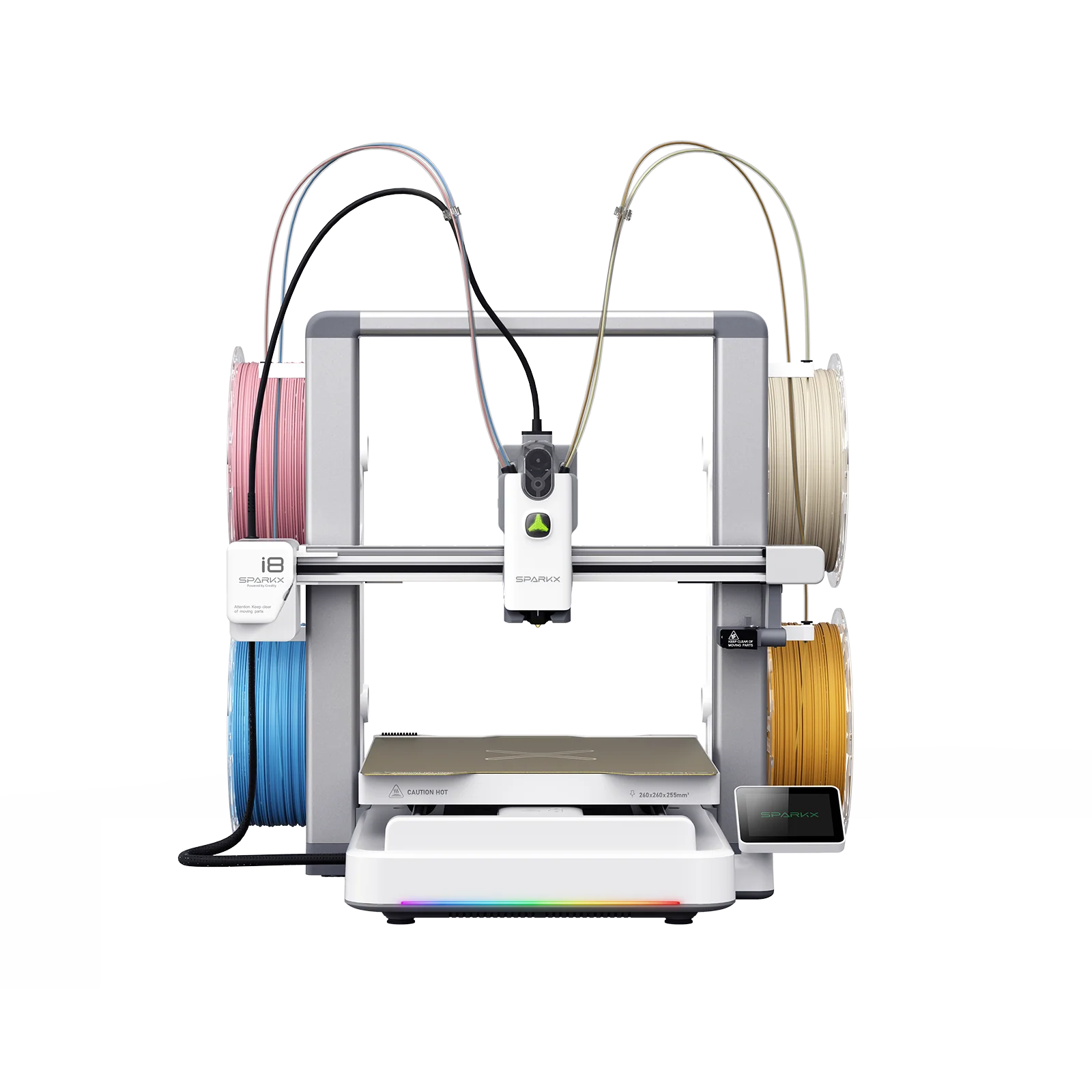
The SPARKX i8 takes a different approach to affordable four-color printing. Creality's QuarTeks system brings four filament channels into one toolhead with a very short shared path. The company emphasizes rapid switching and reduced external purge waste. Those claims are worth examining with a representative sliced model, especially if frequent color changes dominate your current print times.
The machine offers 260 × 260 × 255 mm of build space, a 300°C hotend, and a 100°C bed. It is an open-frame bedslinger with a listed 500 mm/s maximum speed. Creality's U.S. buying guide references $309, but the product page was marked sold out during this check. Treat that figure as a reference price, not a confirmed available checkout offer.
My take: it is an interesting option for repeated four-color work, provided availability and delivery terms suit your schedule. Creality recommends starting with the same material type across channels. That makes colored PLA projects a sensible first use. Its architecture should not be confused with four independent hotends, and a low-waste claim should not be read as a promise of zero total material overhead.
Creality Ender-3 V3 Mega
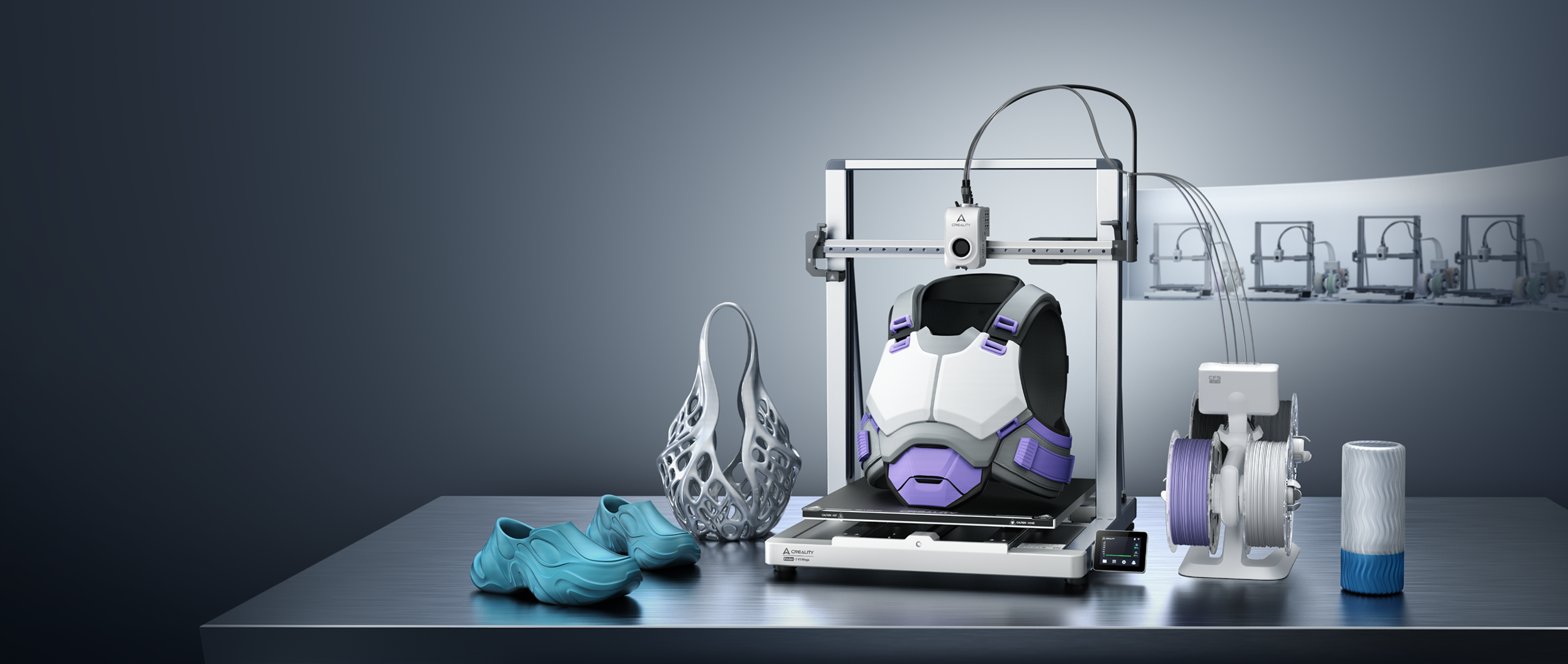
The Ender-3 V3 Mega wins this comparison on sheer space. Its 420 × 420 × 420 mm build area is about 74 liters, over four times the nominal volume of a 256 mm cube. That can turn a prop or housing that needed several glued sections into one print. Creality's U.S. storefront lists the standalone machine from $569, against a $599 reference price.
The Mega also emphasizes flexible filament. Creality recommends TPU grades down to 85A through its Sprite 2 extruder, alongside familiar PLA and PETG. The published limits are 300°C at the nozzle, 100°C at the bed, and 500 mm/s maximum speed; typical speed is listed as 300 mm/s. Those fast settings should not be assumed for soft TPU.
My take: choose it because your parts need the bed. Its moving platform and large prints demand a sturdy, generously sized workspace; Creality recommends roughly one square meter. The Combo adds four-color capability through CFS nano, but the large build area is the real reason to consider this machine. Smaller projects alone rarely justify the footprint.
Creality Ender-3 V3 Neo
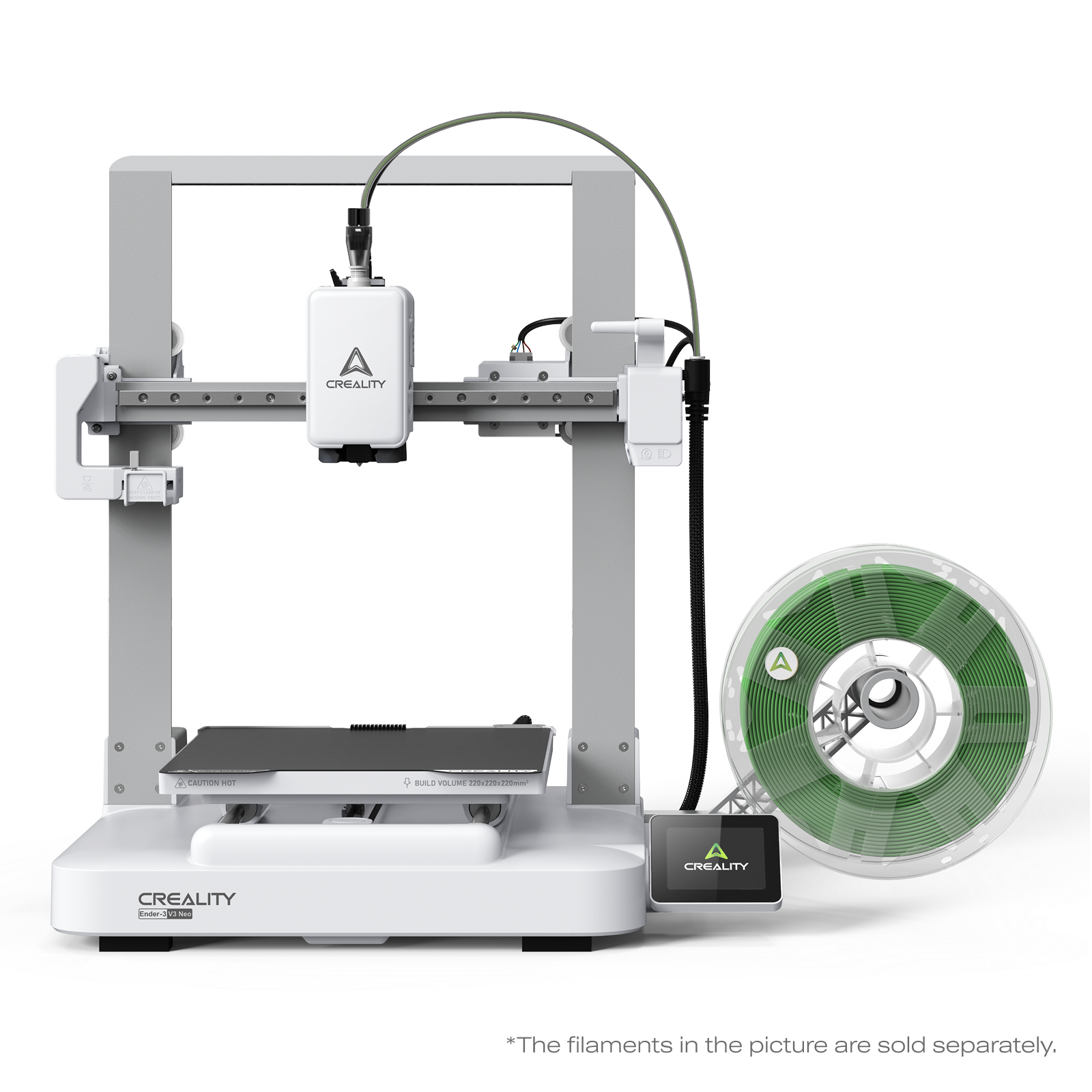
The Ender-3 V3 Neo is the compact, price-led choice in this group. The checked U.S. listing shows $199 for the printer and $279 for the Combo, with reference prices of $259 and $369. Its 220 × 220 × 220 mm build area is smaller than either Anycubic, but still useful for everyday accessories, small enclosures, and learning projects.
The Combo uses CFS nano to switch among four filaments. Creality also highlights the Sprite 2 extruder and vibration compensation. These are relevant conveniences, but they do not establish a print-quality lead over the other machines. The retrieved product listing did not expose a complete thermal and speed specification table, so those fields remain unconfirmed here rather than being copied from a similarly named Ender.
My take: compare the Neo Combo directly with the Kobra X and Kobra 4 Combo at checkout. The Neo is attractive when its smaller format suits your space and its package price is lower. If your models regularly approach 220 mm, the Anycubic machines provide more room. Check dimensions in the slicer before buying; dividing a model into pieces can erase an apparent saving.
The comparison table
Dimensions are in millimeters. Speed figures are manufacturer limits in mm/s, not measured completion times. A printer-only price and a multicolor bundle price buy different equipment.
| Model | U.S. price basis | Build volume (mm) | Material architecture | Nozzle limit | Chamber | Listed speed (mm/s) | Editorial fit |
|---|---|---|---|---|---|---|---|
| X2D | $649 / $899 Combo | 256 × 256 × 260¹ | 2 nozzles | 300°C | 65°C active | Not compared² | Supported functional parts |
| H3C | $2,499 material-system bundle | 330 × 320 × 325 | 9-tool platform | 350°C | 65°C active | Not compared² | Demanding multi-material work |
| Creator 5 | $699 listing | 256 × 256 × 256 | 4 independent heads | 320°C | Open | 300 print / 600 travel | Everyday four-material jobs |
| Creator 5 Pro | $849 listing | 256 × 256 × 256 | 4 independent heads | 320°C | 65°C active | 300 print / 600 travel | Heated-chamber tool changing |
| Kobra 4 | $199 promotion | 260 × 260 × 260 | 1 nozzle; single color | 300°C | Open | 300 recommended / 600 max | Low-cost single-color use |
| Kobra 4 Combo | $299 promotion | 260 × 260 × 260 | 1 nozzle; 4 colors included | 300°C | Open | 300 recommended / 600 max | Color plus filament drying |
| Kobra X | $279 promotion | 260 × 260 × 260 | 1 nozzle; 4 colors built in | 300°C | Open | 300 recommended / 600 max | Affordable integrated color |
| SPARKX i8 | $309 reference; sold out | 260 × 260 × 255 | 4 channels; shared nozzle | 300°C | Open | 500 max | Frequent four-color models |
| Ender-3 V3 Mega | $569 standalone listing | 420 × 420 × 420 | 1 nozzle; Combo adds 4 colors | 300°C | Open | 300 typical / 500 max | Large parts and flexible prints |
| Ender-3 V3 Neo | $199 / $279 Combo promotion | 220 × 220 × 220 | 1 nozzle; Combo adds 4 colors | Unconfirmed | Open | Unconfirmed | Compact budget setup |
¹ X2D dual-nozzle overlap: 235.5 × 256 × 256 mm. ² Comparable extrusion-speed values were not established from the cited launch pages; no ranking is assigned. Unconfirmed fields require a full current specification sheet. Bed limits: H3C and both Creator 5 models, 120°C; both Kobra models, SPARKX i8, and V3 Mega, 100°C. X2D and V3 Neo bed limits are omitted here pending confirmation.
Which one would I shortlist?
For an affordable first printer: start with the Kobra 4 and V3 Neo at their $199 promotional prices. The Kobra has more build space. The Neo makes sense when its smaller format and current bundle offer match your needs. Leave room in the budget for filament and basic maintenance supplies.
For color on a budget: compare the $279 Kobra X with the $299 Kobra 4 Combo. The X includes integrated four-color handling; the Combo includes a drying feeder. The SPARKX i8 is worth watching, but its current stock status makes it a less straightforward immediate purchase.
For four independent tools: the Creator 5 is the lower-priced entry. At the checked $150 difference, the Pro becomes compelling when a heated chamber is useful. That is a material and workflow decision, not proof that one prints every PLA model better.
For support-heavy parts: the X2D offers a focused two-nozzle approach. Move up to the H3C when additional tools, build room, or thermal capability address a specific need. Its substantially higher price should correspond to a measurable benefit in the work you do.
For large objects: the V3 Mega is the clear size choice in this selection. Measure the workspace before ordering. For everyone else, slice three representative models and compare total time, filament consumption, support cleanup, and the complete equipment price. Those numbers will tell you more than a maximum-speed badge.