Bambu Lab H3C Review: Nine Tools, Six-Second Swaps, and a $2,499 Reality Check
The Bambu Lab H3C is not a multicolor printer with a few extras bolted on. It is nine complete print heads parked on a rack, each with its own filament path and heater, waiting to be picked up mid-job. That one design decision sets the price, the footprint, and the kind of shop the machine actually belongs in.
One thing to get out of the way first: we have not had an H3C on our own bench. This review is built from Bambu's published specifications, the US retail listing, and the numbers published by reviewers who did run production units — Tom's Hardware, TechRadar, and The Verge among them. Every figure below is attributed so you can check it yourself rather than take our word for it.

The Bambu Lab H3C with the AMS 3H on top: nine spools, nine tools, and a stack just over a meter tall. Image: Bambu Lab.
What $2,499 actually buys
There is one configuration: the H3C AMS Combo, at $2,499 before tax in the US. There is no printer-only SKU and no single-color version, because all nine tools are mounted into the underside of the AMS 3H rather than onto the gantry. If you want an H3C, you are buying the whole stack.
Eight of those tools feed standard 1.75 mm filament. The ninth is a FlexFeed tool built around 2.85 mm, which is the spec Bambu added for very soft TPU. All nine ship with 0.4 mm hardened steel nozzles rated HRC 55 or harder, and all nine reach 350°C.
| Spec | Bambu Lab H3C AMS Combo |
|---|---|
| US price | $2,499 before tax (€2,499 / £2,199 in Europe and the UK) |
| Tools | 9 PrintTools: 8 × 1.75 mm, 1 × 2.85 mm FlexFeed |
| Tool swap / material swap | 3.4 s tool change, up to 6 s material-to-material |
| Build volume | 330 × 320 × 325 mm |
| Nozzle | 0.4 mm hardened steel, HRC 55+, 350°C max |
| Chamber | Actively heated to 65°C, with active cooling |
| Motion | 25,000 mm/s² acceleration, up to 1,400 mm/s |
| Filament system | AMS 3H, 9 sealed slots, 2 drying bays at 85°C |
| Footprint (assembled) | 493 × 571 × 1016 mm |
| Net weight | 36.28 kg including the AMS 3H |
| Warranty | 2 years, 30-day returns |
Bambu also sells three US bundles that stack on top of the base price: $2,589 with a PLA Palette and TPU, $2,799 with the open Bambu Station, and $3,049 with the enclosed Station and E1 air purifier. A spare 1.75 mm tool runs $59. The cutting, drawing, embossing, and foil-transfer CraftTools were not shipping at launch and cost extra.
Six seconds is real, but read the footnote
Bambu's headline is a six-second material switch, and reviewers broadly confirm the feel of it. Tom's Hardware measured roughly six seconds going from one color to the next. The mechanism is straightforward once you see it: the rack drops into alignment, the active tool docks, the next one latches, and because every tool keeps its own heater warm, there is no wait for a cold nozzle to come up to temperature. Bambu calls this Active Pre-Heat, and it reads the G-code to start warming the next tool while the current one is still printing.
The footnote matters, though. Bambu's own small print says the six-second figure comes from internal testing with PLA Basic and filament-saving purge mode turned on. Soft TPU, a different filament family, or a slicer profile that prioritizes surface quality over speed will all push that number up. Six seconds is the best case, not the guaranteed case.
The waste math is where buyers get fooled
Tool changers exist to kill the purge tower. The H3C cuts waste hard, but it does not eliminate it, and anyone shopping on the promise of "zero waste" should look at the actual test numbers before spending $2,499.
Tom's Hardware ran a steampunk dragon in eight colors. On the H3C it finished in under 24 hours with 68 g of prime-tower material. The same model on an Anycubic Kobra 3 Max took 37 hours 28 minutes and threw away 267 g. That is the case for the machine in one line: roughly a third less time and a quarter of the waste.
Then the same reviewer ran a nine-color print of Princess Donut and Mongo. The H3C finished in 15 hours 12 minutes with a 152.6 g tower. An H2C running the same model in five colors took 24 hours 44 minutes and produced a 111.4 g tower. On paper the H3C looks worse on waste — except it printed four more colors, so the comparison is not like-for-like. Anyone quoting that pair of numbers as a straight loss for the H3C is either careless or selling something.
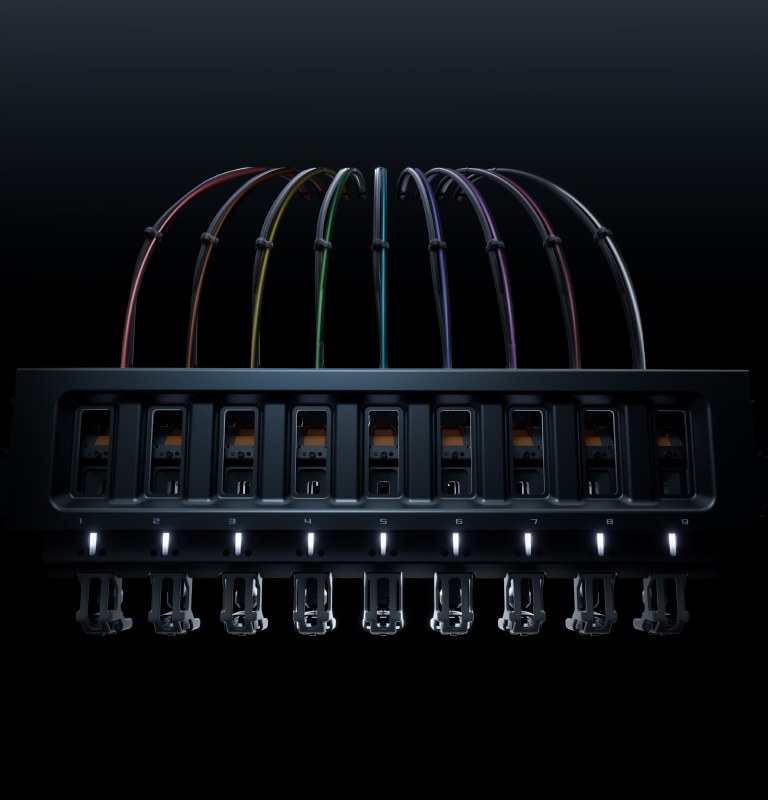
All nine tools sit on a rack under the AMS, each with its own filament path and heater. Tool 9 is the 2.85 mm FlexFeed unit. Image: Bambu Lab.
The 2.85 mm tool is the quiet headline
Most people will skim past the ninth tool. They should not. The FlexFeed extruder switches between 1.75 mm and 2.85 mm automatically, using a cam driven by a permanent-magnet synchronous motor, so there is nothing to disassemble when you change filament diameter. Bambu's pitch is that 2.85 mm stock feeds more reliably and moves more plastic, which is why 75A TPU — the squishy end of the Shore scale — prints at up to three times the volumetric flow of the previous generation.
That is a niche feature with a very specific buyer: anyone printing shoes, insoles, prosthetics, cosplay armor, or phone cases with a soft-touch band. Rigid shell plus flexible hinge in a single job is the demo Bambu keeps showing, and it is the one thing on this spec sheet that a dual-nozzle machine genuinely cannot match.

Bambu's demo part for the 2.85 mm tool: a 75A TPU shoe printed as a single piece. Image: Bambu Lab.
The catch is supply. Right now the only 2.85 mm filament Bambu lists is 75A TPU, so the ninth tool is effectively a TPU tool until the material catalog grows. If you would rather have a ninth standard tool, the $59 1.75 mm swap exists for exactly that reason.
AMS 3H: nine spools, two dryers, seven bypasses
The AMS 3H is the part that makes the H3C livable rather than merely clever. Nine spools sit in a sealed chamber, each on its own feed path, and the system reads Bambu's RFID tags to identify and load them automatically. Third-party spools work, but you enter the starting weight by hand.
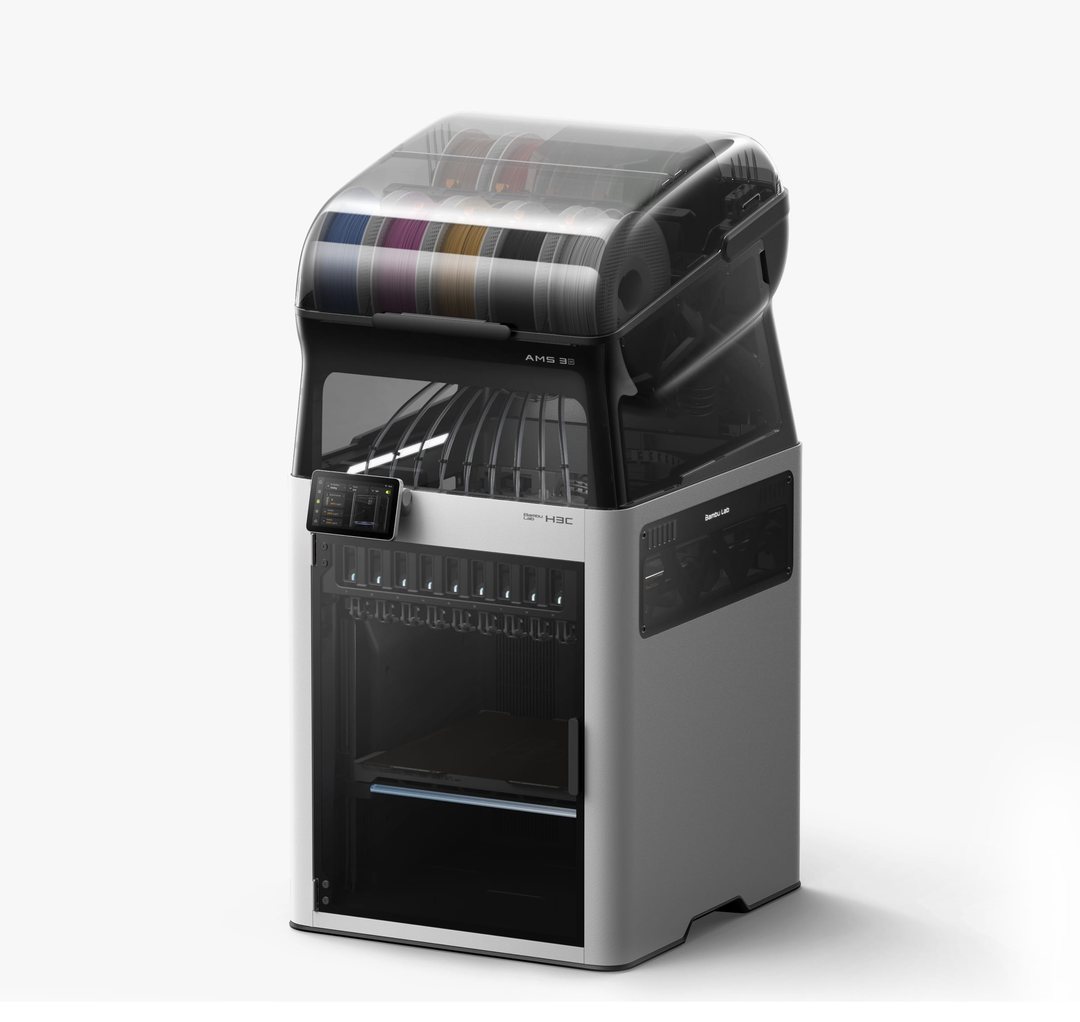
The AMS 3H holds nine sealed spools. Only slots 6 and 8 sit inside the heated drying chamber. Image: Bambu Lab.
Two details are easy to miss and both matter. First, only slots 6 and 8 sit inside the drying chamber, which tops out at 85°C and can run while the machine prints. Nine spools, two dryers — if you print a lot of PA, PC, or carbon-filled material, you will be rotating spools through those two bays and waiting. Second, seven of the nine slots have a TPU bypass feed; slots 2 and 4 do not. That is the sort of thing you want to know before you plan a nine-color job around soft filament.
You can also hang up to four older AMS units off the machine for 24 materials total, but they all route through tool slot 5. Do that and you give up the purge-free advantage on everything the external AMS feeds. It is a capacity expansion, not a free upgrade.
It is over four feet tall, and that is a real problem
The assembled combo measures 493 × 571 × 1016 mm and weighs 36.28 kg. Bambu says you need 1,306 mm of vertical clearance once you account for the top module, tubing, and cable routing. That is a machine that does not fit under a shelf, and it does not fit on a standard kitchen counter.
Tom's Hardware put it plainly: loading filament required a step stool, and the reviewer's 6'4" husband needed one too. Bambu's answer is the Bambu Station L, a rolling cart built for the machine, sold separately. If you are short on ceiling height or you are not willing to buy furniture for a printer, this is the point where the H3C stops making sense, no matter how good the tool changer is.
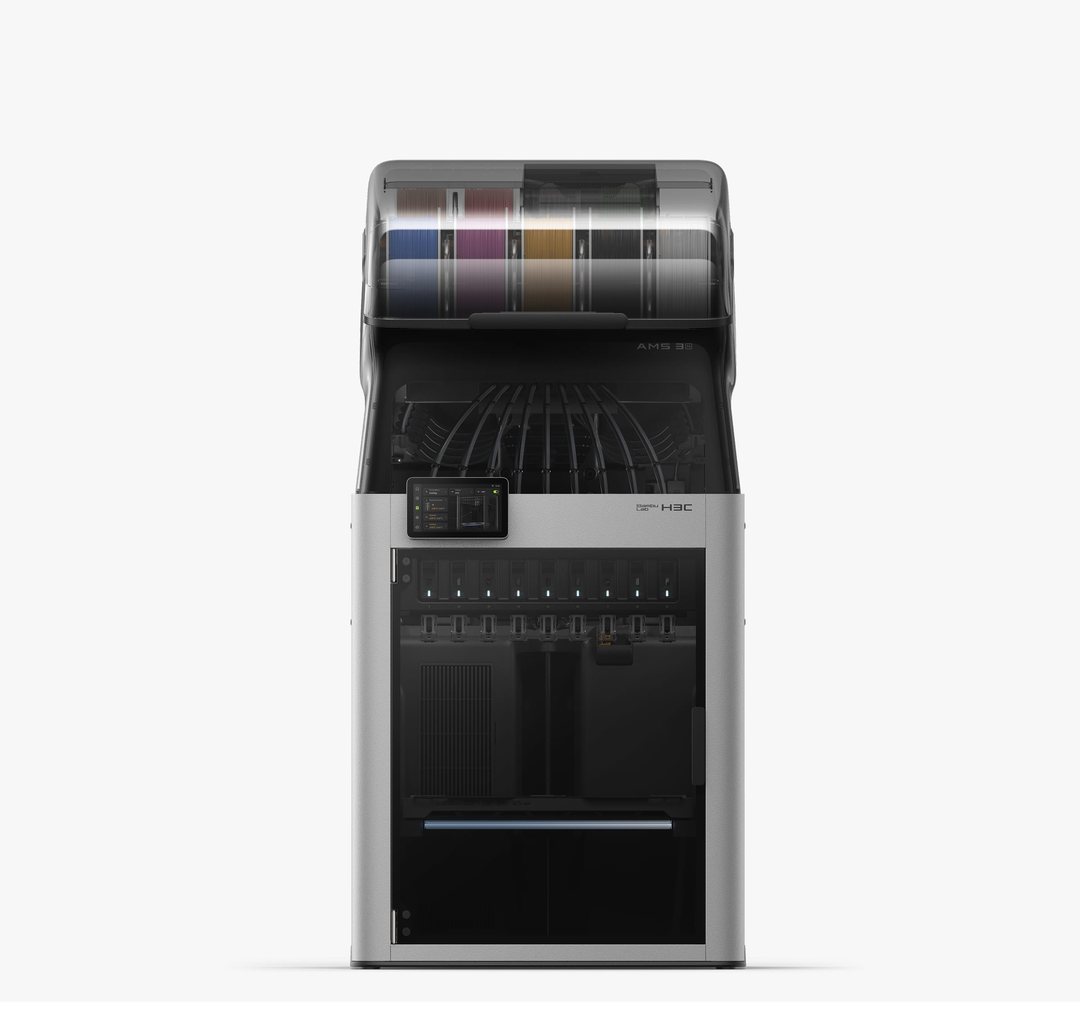
Front on, the assembled combo is 1,016 mm tall — tall enough that Tom's Hardware's reviewer needed a step stool to reach the rear spools. Image: Bambu Lab.
What living with one is actually like
Reviewers agree on the broad shape of the experience: the H3C is fast, capable, and more hands-on than Bambu's other printers. TechRadar's Alastair Jennings described a steeper learning curve than anything else in the lineup, especially once you start mixing nozzle sizes, bypass feeds, and material families in one job. He also had to rerun a full calibration when one nozzle was not seating correctly.
Early firmware was rough. Jennings reported the RFID reader failing to recognize spools and the auto-feed system refusing to feed, both fixed by later updates. Tom's Hardware noted pre-launch issues and beta firmware on its review unit. None of that is unusual for a first-batch flagship, but it is a reason to update firmware before your first real job rather than after a failed one.
What nobody disputes is the range. Nine tools, mixed nozzle diameters, 350°C hotends, and a 65°C chamber mean the H3C will print PLA, PETG, ABS, ASA, PC, PA-CF, PVA support, and 75A TPU without you swapping a single physical part. Whether that range is worth $2,499 depends entirely on whether you will use it.
Who should buy the H3C
Buy it if you sell multicolor parts and the prime tower is eating your margin. Buy it if you print soft-and-rigid assemblies — footwear, wearables, grips, cases with living hinges — where a single-nozzle machine forces a compromise. Buy it if you run a small farm and operator time costs more than filament. The time savings Tom's Hardware measured are large enough to matter at volume: 13 hours saved on one eight-color model is a working day you get back.
Skip it if you print in four colors or fewer, which describes most people. Skip it if your shop has low ceilings or a small bench. Skip it if you want a printer that works out of the box without a learning curve — a P2S or an X2D will do 90% of what most buyers need for a fraction of the money and a fraction of the footprint.
Frequently asked questions
Is there a cheaper H3C without the AMS?
No. All nine tools are built into the AMS 3H, so the combo is the only configuration. Bambu has said there will not be a single-tool version.
Does the H3C eliminate purge waste?
No. It reduces it substantially — 68 g versus 267 g on Tom's Hardware's eight-color dragon — but the machine still uses a prime tower. Bambu's 38 mg figure is per material change, not per print.
Can I use third-party filament?
Yes, in any of the nine slots. You lose automatic spool identification and have to enter the starting weight manually, but nothing locks you into Bambu's catalog.
How does it compare with the H2C?
Same 330 × 320 × 325 mm build volume, different mechanism. The H2C swaps hotends on one carriage; the H3C swaps entire tools. The H3C is faster and handles soft TPU better, and it costs more. The H2C remains on sale at a lower price.