Bambu Lab P2S vs X2D: Which Printer Should You Buy in 2026?
Bambu Lab has moved fast. The P2S launched as a refinement of the P1P/P1S line, bringing CoreXY speed, AMS multi-color support, and a refined user experience to the mid-range. The X2D followed as the company's most ambitious desktop printer yet, adding dual extrusion, active chamber heating, and a redesigned motion system.
Both printers are excellent. They share DNA, but they target different users. This comparison breaks down the specs, the real-world differences, and which one is worth your money in 2026.
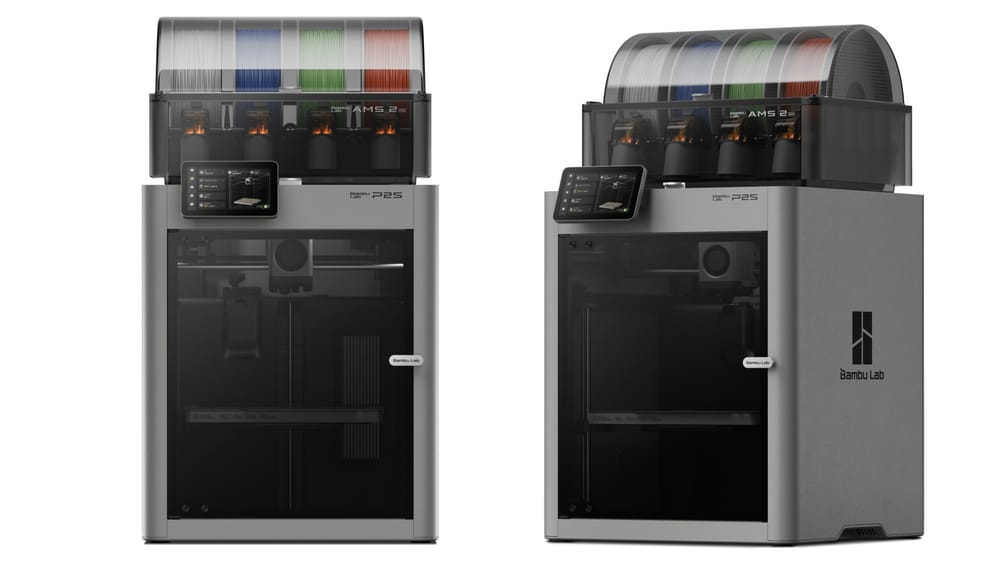
The Bambu Lab P2S (left) and X2D (right) share design language but differ significantly in capability.
Side-by-Side Specs
| Feature | Bambu Lab P2S | Bambu Lab X2D |
|---|---|---|
| Price (printer only) | ~$599–$699 | ~$799–$899 |
| Price with AMS | ~$899–$999 | ~$1,099–$1,199 |
| Build volume | 256×256×256 mm | 256×256×256 mm |
| Max print speed | 500 mm/s | 500 mm/s |
| Acceleration | 20,000 mm/s² | 20,000 mm/s² |
| Nozzle temp (max) | 300°C (hardened steel option) | 300°C |
| Bed temp (max) | 110°C | 120°C |
| Chamber heating | Passive (enclosure only) | Active (up to 60°C) |
| Extruder type | Single, direct drive | Dual (main + auxiliary) |
| Multi-color | Via AMS (up to 16 colors) | Via AMS + dual nozzle |
| Auto bed leveling | Yes (LIDAR) | Yes (LIDAR) |
| AI camera | Yes | Yes (upgraded) |
| Firmware | Bambu OS (custom) | Bambu OS (custom) |
| Noise level | ~48 dB | ~46 dB |
| Weight | ~14 kg | ~16 kg |
The Key Differences
1. Active Chamber Heating
This is the biggest functional difference. The P2S has an enclosed chamber but no active heating — it relies on the heat from the bed and nozzle to warm the air inside. The X2D has an active chamber heater that can maintain up to 60°C.
Why does this matter? For PLA and PETG, it does not. Both printers handle these materials fine. For ABS, ASA, PC, and other engineering materials, active chamber heating is a significant advantage. A warm chamber reduces warping, improves layer bonding, and prevents the "popcorn" effect where parts crack as they cool unevenly.
If you print mostly PLA and PETG, the X2D's chamber heater is overkill. If you regularly print ABS or ASA, it is a game-changer.
2. Dual Extrusion
The X2D has two nozzles: a main nozzle for the part and an auxiliary nozzle for support material. This means you can print soluble support (PVA) or breakaway support with a dedicated nozzle, without the AMS having to switch filaments mid-print.
The P2S uses a single nozzle. For multi-material prints, it relies on the AMS to switch filaments, which means the nozzle has to be purged between materials — wasting filament and time.
For most users, single extrusion is fine. But if you print complex parts with lots of supports, or if you want to use soluble support for intricate geometries, the X2D's dual nozzle system is faster and cleaner.
3. Bed Temperature
The X2D's bed reaches 120°C vs the P2S's 110°C. That 10-degree difference matters for materials like PC (polycarbonate) which benefit from a hotter bed. For PLA, PETG, and ABS, 110°C is more than enough.
4. Price Difference
The X2D costs roughly $200 more than the P2S (printer only), or about $200–$300 more when bundled with an AMS. That is a meaningful gap, especially for hobbyists.
Print Quality Comparison
Both printers produce excellent print quality. The CoreXY motion system, input shaping, and pressure advance are shared between the two. At 0.16 mm layer height, both produce smooth, detailed parts with minimal visible layer lines.
The X2D has a slight edge in overhang performance thanks to the upgraded part cooling system, and the active chamber means ABS prints come out with better surface finish and less warping. But for PLA and PETG, the difference is negligible — you would be hard-pressed to tell which printer made a given part.
Multi-Color and Multi-Material
Both printers support the AMS (Automatic Material System) for multi-color printing. The AMS holds up to 4 spools, and you can daisy-chain up to 4 AMS units for 16 colors.
The X2D's dual nozzle adds a dimension: you can use the auxiliary nozzle for support material while the main nozzle prints the part in your primary color. This is faster than AMS-only switching because there is no purge tower needed for support changes.
For pure multi-color prints (e.g., a four-color figurine), both printers perform similarly — the AMS does the work. For multi-material prints (e.g., a PLA part with PVA supports), the X2D is faster and wastes less filament.
Which One Should You Buy?
Buy the P2S if:
- You print mostly PLA, PETG, and TPU
- You want the best value for the money
- Multi-color printing via AMS is enough for your needs
- You do not need active chamber heating
- You are a hobbyist, maker, or small business printing consumer goods
Buy the X2D if:
- You regularly print ABS, ASA, PC, or other engineering materials
- You need soluble or breakaway support for complex parts
- You want the most capable desktop printer Bambu offers
- You print functional prototypes or end-use parts that require consistent material properties
- The $200 premium is worth it for the added capability
Real-World Print Speed and Quality
Both printers claim 500 mm/s top speed, but real-world quality prints run at 200–350 mm/s for most geometries. The CoreXY motion system and input shaping handle corners and direction changes well at these speeds. Visible ringing or ghosting is minimal on both machines when properly calibrated.
The X2D's active chamber heating provides a subtle quality improvement for all materials, not just ABS. A warm chamber means the part cools more slowly and evenly, reducing internal stress and improving layer bonding. For PLA this is barely noticeable, but for PETG and ASA the difference in surface finish and part strength is measurable.
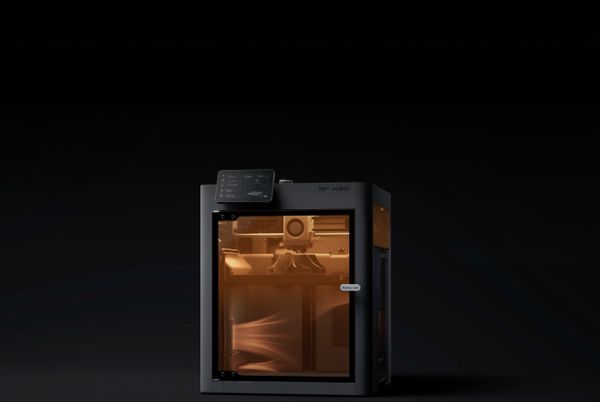
The X2D's active chamber heating (visible through the door) maintains up to 60°C, improving layer bonding for ABS, ASA, and engineering materials.
Multi-color prints via AMS are fast on both machines. Filament changes take 15–30 seconds including purge, and the purge tower is efficient. For a 4-color print, expect 10–15% total time overhead for filament changes compared to single-color.
Maintenance and Upkeep
| Maintenance Task | P2S | X2D | Frequency |
|---|---|---|---|
| Nozzle cleaning | Brass nozzle (standard) | Hardened steel (standard) | Every 50–100 hrs |
| Bed surface replacement | PEI sheet wears in 6–12 mo | Same | As needed |
| AMS cleaning | PTFE tube + buffer | Same | Every 3–6 mo |
| Chamber filter | Passive (no filter) | Active filter (replaceable) | Every 6 mo |
| Lubrication | Linear rails + lead screw | Same | Every 3–6 mo |
| Firmware updates | OTA via Bambu Studio | Same | Monthly |
Bambu Lab's closed ecosystem means maintenance is simpler than open-source printers. No firmware compiling, no config file editing, no manual calibration of steps per mm. The trade-off is less control over advanced settings, but for most users this is a feature, not a bug.
Common Questions
Q: Can I add active chamber heating to the P2S later?
A: Not officially. The X2D's chamber heater is integrated into the design and controlled by the firmware. Third-party mods exist but void the warranty and can be fire hazards.
Q: Do both printers use the same AMS?
A: Yes. The AMS 2 and AMS 2 Pro work with both the P2S and X2D.
Q: Is the X2D worth $200 more just for the chamber heater?
A: If you print ABS or ASA regularly, yes. A 60°C chamber eliminates most warping and layer separation issues with these materials. If you only print PLA and PETG, no.
Q: How reliable are these printers?
A: Both are among the most reliable desktop printers available. Bambu's closed ecosystem means fewer things to go wrong, and the LIDAR-based first-layer inspection catches most failures before they waste filament. Expect 95%+ print success rates with quality filament.