Best 3D Printers Under $500 in 2026
The sub-$500 3D printer market has changed dramatically in the last two years. What used to be a category of flimsy kits and unreliable machines is now home to some genuinely capable printers. Auto-bed leveling, direct drive extruders, and even Klipper firmware have trickled down to price points that were unthinkable in 2022.
This guide cuts through the marketing. We look at what actually matters at this price: first-layer reliability, print quality out of the box, noise, maintenance burden, and whether the company will still exist in two years to honor a warranty.
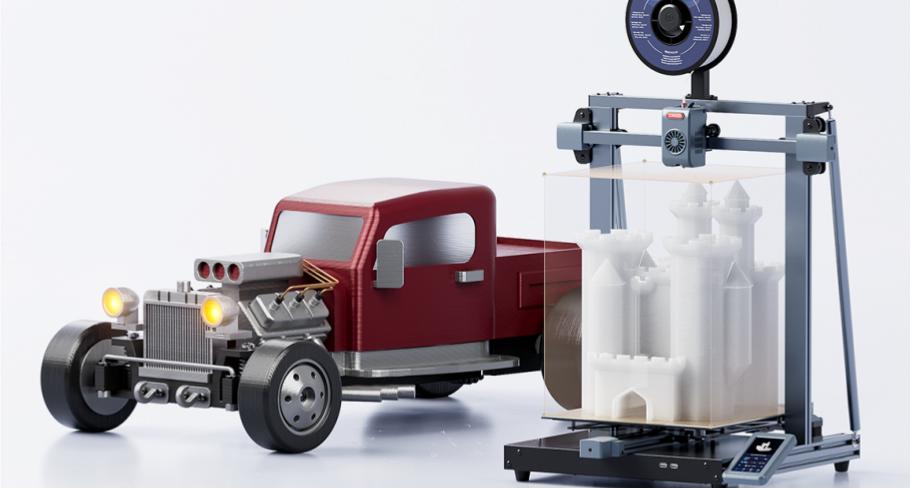
Large-format budget printers like the Longer LK10 Plus have pushed build volumes up while keeping prices under $300.
What to Expect Under $500
Let's set realistic expectations. A $300 printer will not match a $1,000 printer in every category. But the gap has narrowed significantly. Here is what you get — and what you give up.
What you get: Auto-bed leveling is now standard. Most printers in this range include a BLTouch-style probe or inductive sensor. Direct drive extruders are common, which means flexible filament like TPU is actually printable. Build volumes have grown — 220×220×250 mm is typical, and some machines offer 300×300 mm or larger.
What you give up: Enclosures are rare. That means ABS and ASA printing is challenging without a DIY enclosure. Print speeds are moderate — 100–200 mm/s is realistic, not the 500 mm/s marketing numbers. Customer support varies wildly; some brands answer emails in hours, others never respond.
Our Top Picks
Best Overall: Creality Ender 3 V3 SE / KE
The Ender 3 line is the best-selling 3D printer in history for a reason. The V3 SE (around $199) and V3 KE (around $259) fix most of the original Ender 3's annoyances. Auto-bed leveling, a direct drive extruder, a Sprite extruder design, and a color touchscreen make this a genuinely modern printer at a budget price.
The V3 KE adds Klipper firmware, which unlocks higher print speeds and better input shaping. If you are comfortable with slightly more setup, the KE is the better value. The SE is simpler and more plug-and-play.
Build volume: 220×220×250 mm | Nozzle temp: 260°C | Bed temp: 100°C | Price: $199–$259
Best Large Format: Longer LK10 Plus
If you want to print big without spending big, the LK10 Plus delivers a 300×300×400 mm build volume for around $299. That is a massive print area for the money. It includes auto-bed leveling, a direct drive extruder, and a 32-bit motherboard.
The trade-off is speed and refinement. Large printers are inherently slower, and the LK10 Plus is not going to win any beauty contests. But if you need to print helmets, cosplay pieces, or large functional parts, this is the most volume per dollar on the market.
Build volume: 300×300×400 mm | Nozzle temp: 260°C | Bed temp: 110°C | Price: ~$299
Best for TPU and Flexibles: Anycubic Kobra 2 Neo
The Kobra 2 Neo (around $199) includes Anycubic's LeviQ auto-bed leveling system and a direct drive extruder that handles TPU well. It is a compact, reliable machine that prints PLA and PETG with minimal fuss.
The Kobra 2 line has matured significantly since its launch. Firmware updates have fixed early adopter complaints, and the printer is now one of the most consistent budget options.
Build volume: 220×220×250 mm | Nozzle temp: 260°C | Bed temp: 100°C | Price: ~$199
Best CoreXY Under $500: Elegoo Neptune 4 Pro
CoreXY kinematics used to be a premium feature. The Neptune 4 Pro (around $299) brings it to budget prices, with Klipper firmware, a 500 mm/s claimed top speed, and a 225×225×265 mm build volume.
Real-world speeds are more like 200–300 mm/s for quality prints, but that is still fast for this price. The direct drive extruder handles TPU, and the magnetic PEI build plate is a nice touch.
Build volume: 225×225×265 mm | Nozzle temp: 260°C | Bed temp: 110°C | Price: ~$299
Comparison Table
| Printer | Build Volume | Price | Best For |
|---|---|---|---|
| Creality Ender 3 V3 SE | 220×220×250 | $199 | Beginners, reliability |
| Creality Ender 3 V3 KE | 220×220×250 | $259 | Klipper, speed |
| Longer LK10 Plus | 300×300×400 | $299 | Large prints |
| Anycubic Kobra 2 Neo | 220×220×250 | $199 | TPU, flexibles |
| Elegoo Neptune 4 Pro | 225×225×265 | $299 | CoreXY, speed |
What to Look For in a Budget Printer
Not all budget printers are created equal. When shopping under $500, prioritize these features in order of importance:
1. Auto-bed leveling. This is non-negotiable in 2026. Manual leveling is a skill, but at this price point there is no reason to buy a printer without a probe. ABL saves hours of frustration and directly improves print success rate.
2. Direct drive extruder. If you plan to print TPU or other flexibles, direct drive is strongly preferred. Bowden setups can work with rigid filaments but struggle with soft materials. Most printers in this range now include direct drive from the factory.
3. Build volume. 220×220 mm is the baseline. If you print cosplay, helmets, or large functional parts, step up to 300×300 mm. Remember that larger printers are slower and more prone to warping with ABS.
4. Community and parts availability. The Ender 3 ecosystem has millions of users, thousands of YouTube tutorials, and cheap replacement parts on Amazon. A no-name printer might have better specs on paper, but when a part breaks in six months, will you be able to find a replacement?
5. Firmware upgradability. Klipper-compatible printers (Ender 3 V3 KE, Neptune 4 Pro) offer better performance and customization. Marlin is fine for beginners, but Klipper unlocks higher speeds and input shaping.
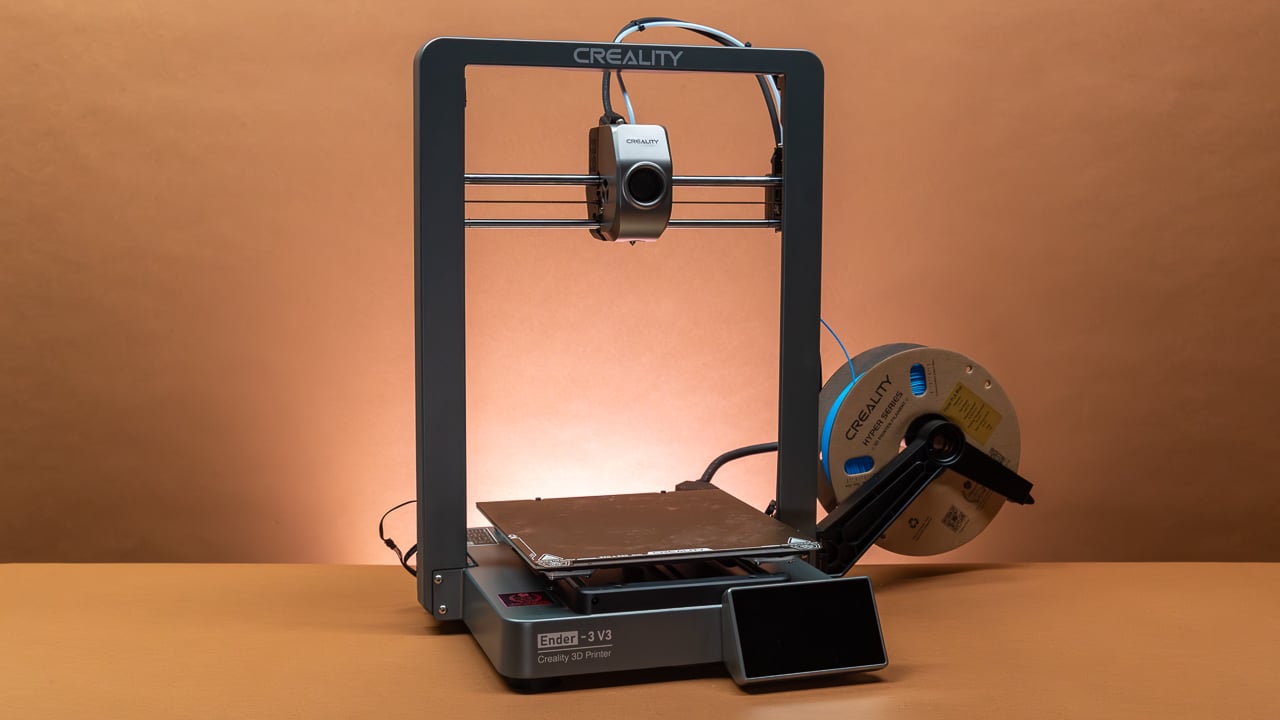
The Creality Ender 3 V3 series remains the best-selling budget printer line, with a massive community and parts ecosystem.
Setup and Assembly Comparison
| Printer | Assembly Time | Difficulty | Calibration Needed |
|---|---|---|---|
| Ender 3 V3 SE | 15–20 min | Easy | Minimal (auto-level) |
| Ender 3 V3 KE | 15–20 min | Easy | Minimal (Klipper config) |
| Longer LK10 Plus | 30–45 min | Moderate | Moderate (large bed) |
| Anycubic Kobra 2 Neo | 10–15 min | Easy | Minimal |
| Elegoo Neptune 4 Pro | 20–30 min | Moderate | Moderate (Klipper) |
Most budget printers now ship partially assembled. The typical setup involves attaching the gantry to the base, connecting a few cables, loading filament, and running auto-bed leveling. Plan for 30–60 minutes from unboxing to first print, including time to download and install the slicer.
What to Avoid
Not every cheap printer is a good deal. Steer clear of:
- No-name brands from AliExpress with zero reviews. If the company disappears, you are left with a brick and no spare parts.
- Printers without auto-bed leveling. Manual leveling is a skill, but at this price there is no excuse for omitting it.
- Bowden-only extruders if you plan to print TPU. Bowden setups can work with flexible filament, but direct drive is far more forgiving.
- Printers with proprietary filament systems. If the printer only accepts the company's own spools, walk away.
Final Thoughts
The $500 ceiling is no longer a compromise zone. You can get a printer that auto-levels, prints flexible filament, and produces quality parts — all for less than the cost of a mid-range smartphone. The biggest risk at this price is not the hardware; it is choosing a brand that vanishes. Stick to established names with active communities, and you will be fine.