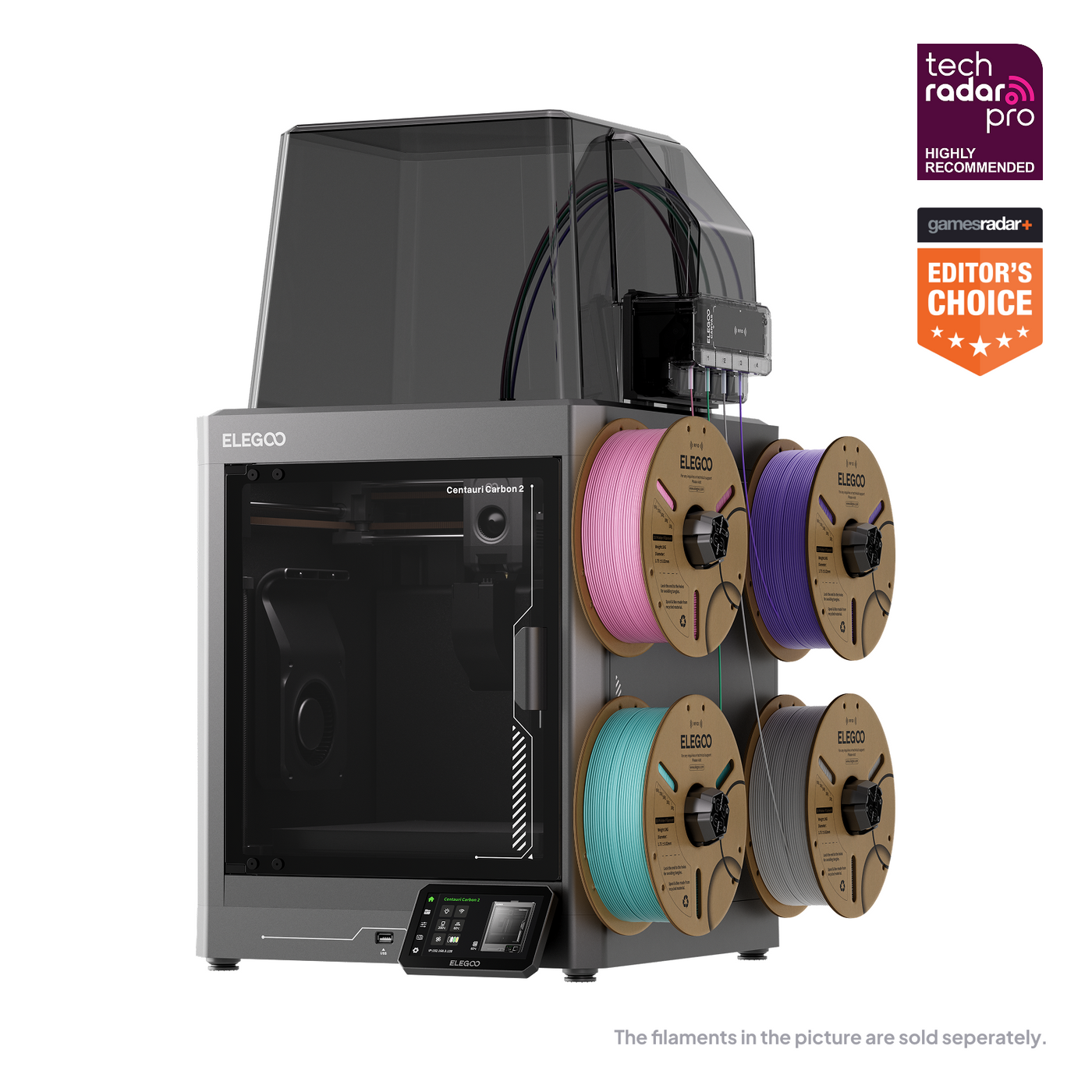
At $369, the ELEGOO Centauri Carbon 2 Combo deserves a place on a small maker business’s Black Friday shortlist. An enclosed printer with automatic color switching can open up products that are awkward to produce on a basic single-color machine. But buying the capability is only the beginning. The useful question is whether it makes your particular products easier to sell, faster to finish, or more economical to manufacture.
Our verdict is conditional: this is an appealing entry into multicolor production for makers with a clear product plan and time to validate a new workflow. It is a less convincing purchase for someone who already has spare printing capacity or expects four-color parts to cost almost the same as single-color ones.
Is the $369 Black Friday deal real?
When checked, the ELEGOO US product page displayed $369 against a crossed-out $449. That is an $80 reduction, or approximately 17.8%. Some navigation and bundle labels on the same page showed different prices, so confirm the selected configuration and final checkout total. Tax, shipping, availability, and regional offers can change the amount you actually pay.
The discount is useful, but it should not set your entire buying decision. A crossed-out reference price does not establish the machine’s typical transaction price, and this review does not establish an all-time low. Compare the complete delivered package with other offers available to you, including their return arrangements. A few dollars saved upfront can disappear if the alternative includes accessories you would otherwise buy.
Keep the model name precise: this article concerns the Centauri Carbon 2 Combo. Do not substitute a price for the original Centauri Carbon, the Centauri 2 Combo, or a standalone printer without the same multicolor hardware. Similar names make attractive comparison charts easy to misread. Save the exact product listing and order specification before purchasing.
The specifications that matter
The following are manufacturer claims, not results from our workshop. They describe the platform’s advertised capabilities; they do not promise a particular finish, tolerance, or output rate on your files.
| Item | Published specification |
|---|---|
| Motion system | Enclosed CoreXY |
| Build volume | 256 × 256 × 256 mm |
| Color system | CANVAS, up to four colors |
| Maximum advertised speed | 500 mm/s |
| Maximum advertised acceleration | 20,000 mm/s² |
| Nozzle / bed limits | 350°C hardened-steel nozzle / 110°C bed |
| Calibration | Automatic leveling and Z offset; vibration and pressure-advance calibration |
| Monitoring | 31 sensors advertised |
Specification source: ELEGOO’s product page, checked November 18, 2026.
Build volume and enclosure: useful, with practical limits
A 256 mm cube is a sensible size for many desk accessories, organizers, display stands, and small fixtures. Before buying, place your actual models in a slicer. A nominally fitting model can become inconvenient when you add a brim, supports, or the space required by a multicolor job. Check the complete plate arrangement, not just the largest dimension printed on a sales page.
For batch production, bed area can matter more than maximum height. A design that fits six times on one plate may offer a better working rhythm than a taller object occupying the entire machine. Leave enough room to remove parts and inspect their first layers. Crowding a build plate to advertise maximum capacity is different from creating a repeatable production layout.
The enclosure is attractive for a mixed-material workshop, but it should not be interpreted as a promise of industrial chamber control. We have not established a controlled chamber-temperature specification. For any demanding material, evaluate the supplier’s requirements and a representative part before accepting customer work. Large flat surfaces, thin corners, and tightly fitting components can reveal weaknesses that a small decorative sample misses.
CANVAS: where the commercial opportunity starts
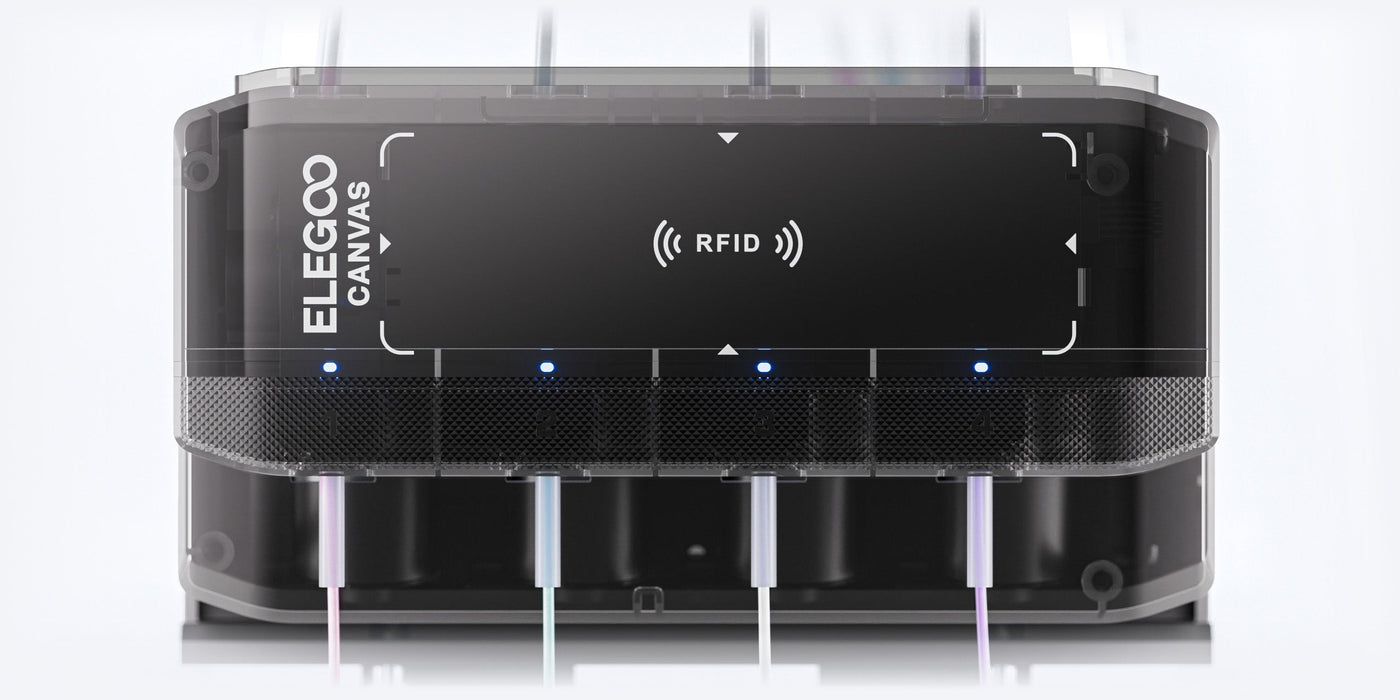
For a seller, multicolor printing is most interesting when it removes a finishing step customers already value. Think of contrasting lettering on a desk sign, readable labels on organizers, or a consistent brand accent on a display stand. If automated color changes replace careful painting or assembly, the value can exceed the extra filament expense.
Start with designs using color strategically. Two well-chosen colors can make a product look more deliberate than four colors scattered across every surface. A readable nameplate or numbered storage tray may justify a premium without turning every layer into a complicated sequence of swaps. Match the design to the process before using the machine to expand your catalog.
ELEGOO describes RFID recognition for its tagged filament, automatic refill, and tangle detection in its CANVAS documentation. These are workflow conveniences, not substitutes for checking your selected material and color assignments. Keep a written setup record for each product so that changing an operator or replacing a spool does not quietly change the result.
The most important comparison is your existing finishing process against the proposed multicolor process. Time both. If hand-fitting a separately printed logo takes two minutes but automatic color changes occupy the machine for hours, assembly may remain the better choice. If painting requires drying space and repeated handling, automated color can be more attractive despite a longer print.
Waste and color changes: the cost hidden behind the photograph
Single-nozzle color switching requires managing material left from the previous color. The practical consequences are extra material consumption and additional time. The exact penalty depends on the model, color contrast, purge settings, and number of transitions. We have not measured a CANVAS switching time or waste percentage, so neither belongs in a claimed performance score.
Slice the same product in one color and in your intended color layout. Record total grams, estimated duration, and any tower or purge allocation. Then print a sample and compare the estimates with reality. Light colors following dark ones are particularly useful for judging whether your chosen settings preserve the visual separation customers expect.
Batching can change the economics. Several identical items on a plate may share a layer’s color changes, spreading some overhead across more products. That advantage is limited by layout and the job’s failure exposure. One crowded plate can also put several orders at risk together. Test a modest batch before treating a full plate as your standard production unit.
Color placement is therefore a business design decision. Consider a raised label near the top, a separate insert, or a two-piece assembly before committing to color changes throughout the full height. The best version is the one that delivers the desired appearance at an acceptable total cost, including handling and rejects.
Speed review: read 500 mm/s as a ceiling
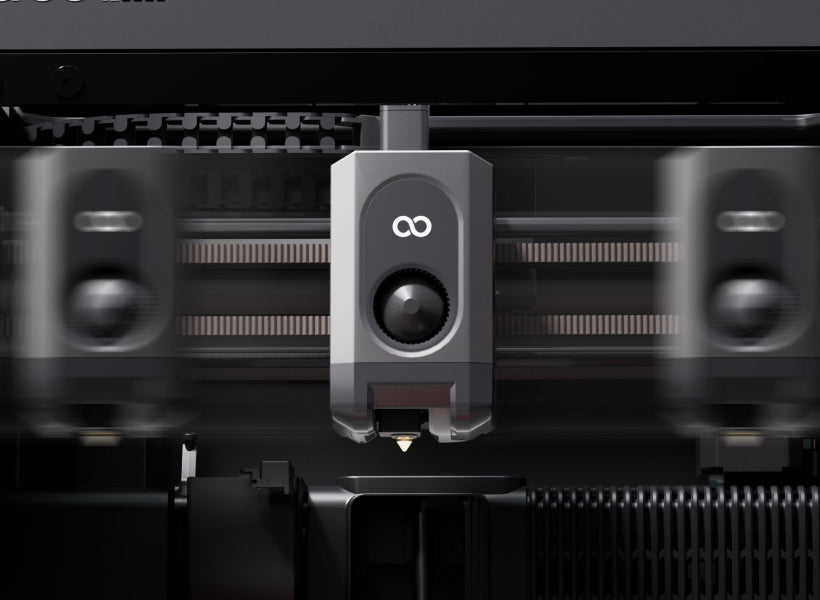
A maximum movement or printing speed is not the same thing as average job speed. Small features require frequent direction changes; surface settings, extrusion limits, and cooling needs influence the usable profile. Automatic calibration, heating, and color changes also take time without producing the finished object’s visible walls.
For business use, track elapsed time from starting preparation to having an inspected part ready for the next step. Then separate operator minutes from machine hours. A faster profile may improve capacity, but it can lose its advantage if it creates extra cleanup or makes lettering less consistent. Your acceptance standard should remain fixed when comparing settings.
Our assessment is that the advertised motion platform makes the printer worth investigating for production, but the headline number cannot support a throughput claim. A repeatable four-hour job is more useful for scheduling than a spectacular demonstration with a file unlike anything you sell. Keep screenshots of successful slicer profiles alongside the corresponding physical samples.
Print quality: what this review can and cannot conclude
We cannot responsibly award a measured accuracy score or describe surfaces as flawless without inspecting prints. For this machine, an informative acceptance test would include small text, a broad flat first layer, an overhang, mating parts, and a multicolor boundary. Use a model you understand well enough to distinguish printer behavior from a flawed design.
Measure more than a single calibration cube. Fit depends on orientation, material shrinkage, hole geometry, and your chosen clearance. Print the same important feature at several positions on the bed and repeat it on another day. If your product needs a sliding lid or press-fit insert, test that assembly directly rather than extrapolating from a generic benchmark.
Keep an approved sample as the reference for customer orders. Photograph it under consistent lighting and note the material batch, profile, and orientation. That simple record turns quality control into a comparison you can repeat. It also helps decide whether a cheaper or faster filament is actually an improvement for this product.
Materials review: the nozzle is only part of the story
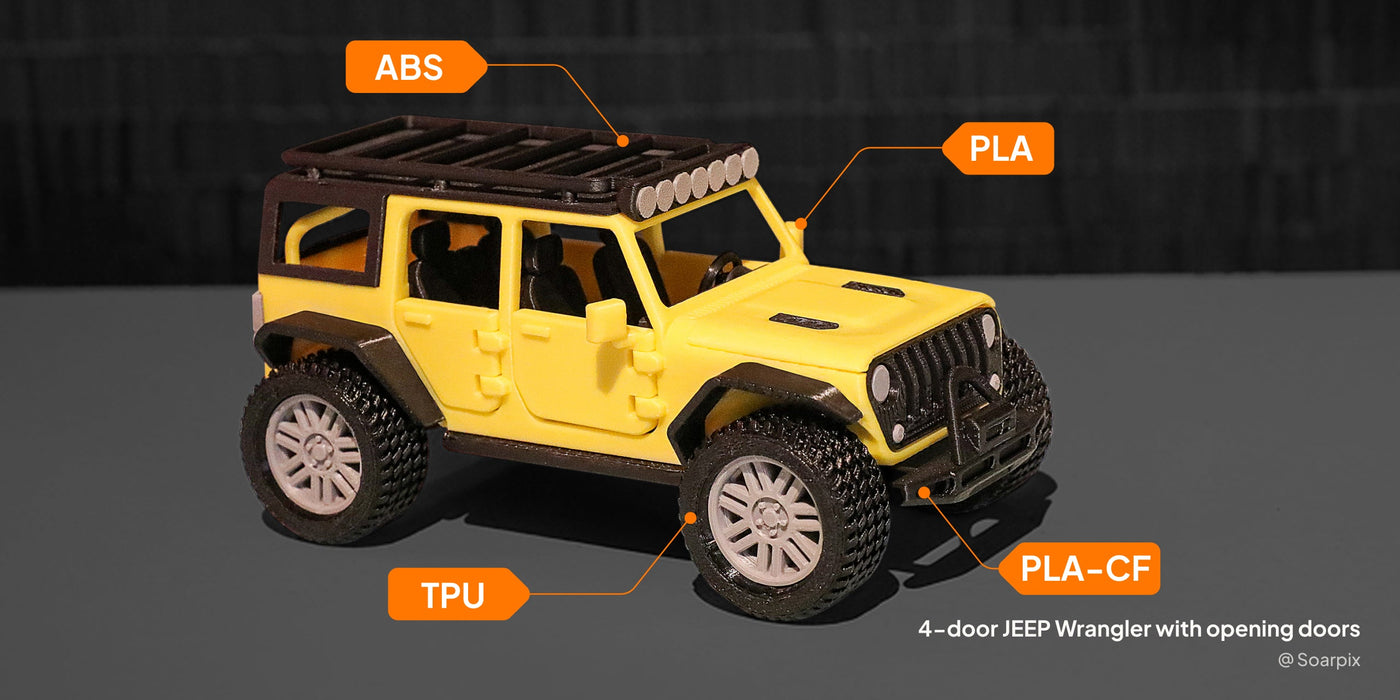
High temperature capability is useful only when the entire workflow suits the filament. Drying, storage, bed preparation, cooling, and the part’s geometry can all affect whether a material is practical. Begin with the material your first product needs. Buying several unfamiliar engineering filaments alongside a new printer makes troubleshooting unnecessarily difficult.
TPU needs particular attention. ELEGOO’s published Combo guidance calls for a flexible-filament adapter and disconnecting the CANVAS cable. Do not buy this package on the assumption that ordinary flexible filament will run through its standard four-color path. Follow the current TPU installation instructions for the exact configuration you receive.
ELEGOO also advises inspecting feed components during extended use of abrasive reinforced materials. Treat replacement parts as an operating cost. A hardened nozzle does not establish that every other surface touching the filament is maintenance-free. Keep records of feed problems and wear so that replacement becomes planned work instead of an interruption during an urgent order.
For products sold on functional claims, qualify the finished part itself. A filament label does not prove that your orientation, wall thickness, or layer bonding meets the application. The practical buying case is broader material flexibility, not permission to promise every advertised polymer’s ideal properties in every printed shape.
Noise, software, and daily ownership
ELEGOO qualifies its quiet-operation claim with a specific test: PLA in Silent Mode with the auxiliary part-cooling fan disabled. That condition matters. We have not independently measured the noise, and buyers should not assume a fast production profile will sound the same. Consider whether the machine will share a room with calls, customers, or other work.
Before relying on any connected workflow, download the intended slicer and check that your computer and network suit it. Open your own files, inspect color assignment, and review available documentation. A useful buying test is whether you can understand the entire path from model to printable job without discovering an unexpected software dependency after delivery.
Budget for setup and maintenance time even when calibration is automated. Cleaning the plate, checking filament routing, removing waste, and inspecting finished parts remain real tasks. For a small shop, a clear recovery procedure matters as much as an impressive feature list. Keep the order details, support links, and configuration notes together where they are easy to retrieve.
A hypothetical business calculation
Suppose a small two-color desk sign sells for $18. The following assumptions illustrate a costing method; they are not Centauri Carbon 2 measurements or evidence of market demand. Assume the finished part weighs 70 g and the complete job consumes 100 g after waste, using $20/kg filament. Assume three hours of machine time.
| Cost per attempted sign | Assumption | Amount |
|---|---|---|
| Filament, including waste | 100 g × $0.02/g | $2.00 |
| Machine allowance | $369 ÷ 2,000 productive hours × 3 hours | $0.55 |
| Maintenance | Illustrative $0.05/hour × 3 | $0.15 |
| Electricity | Assumed 0.45 kWh × $0.20/kWh | $0.09 |
| Hands-on labor | 10 minutes at $18/hour | $3.00 |
| Packaging | Illustrative allowance | $0.80 |
| Selling fees | Assumed 10% of $18 plus $0.30 | $2.10 |
Using unrounded machine cost, these items total $8.6935, leaving approximately $9.31 before rejects, postage, fixed overhead, and taxes. The 2,000-hour allocation is a budgeting assumption, not a prediction of service life. The fee and electricity figures are placeholders to replace with your actual channel charges and measured consumption.
Add a simplified 10% full-attempt failure assumption to filament, machine allowance, maintenance, and electricity. Those repeatable costs total $2.7935; the reserve per good part is $2.7935 × 0.10 ÷ 0.90, approximately $0.31. That leaves about $9.00 before the remaining exclusions. This model does not include extra labor on failures, so record that separately.
The comparison becomes more revealing when you change one assumption. Saving the full $80 advertised discount spreads to only eight cents over 1,000 sellable items. Adding five minutes of handling costs $1.50 per item at the assumed labor rate. Improving the product workflow can matter much more than winning a slightly better checkout price.
Your first-week acceptance plan
Use the first day to check the delivered configuration, complete the documented setup, and produce a simple single-color baseline. Keep the packaging until you understand the seller’s return conditions. On the next session, print one representative color job and record the total material used, elapsed time, and hands-on work. Avoid changing several settings at once.
Repeat that same job before expanding to a batch. Compare the lettering, mating surfaces, and underside with your first accepted sample. Log every interruption, including problems resolved quickly, because repeated small interventions affect labor cost. Finally, run the batch size you intend to sell and inspect every item. This is a proposed evaluation plan, not testing we have performed. Its purpose is to give you evidence for a production decision while the purchase is still new, rather than discovering a workflow mismatch after taking orders.
Who should buy, wait, or skip?
Consider buying if you have a specific multicolor product, can afford time for validation, and value the combined enclosure and color capability. A small catalog of repeatable designs is a better starting point than dozens of untested files. Order materials for your first controlled trials and expand after the workflow is stable.
Wait if your current printer already meets demand. Make a sample product, test customer interest, or price the finishing process first. Idle capacity does not become profitable because another machine is discounted. If reliability during a seasonal rush is your immediate concern, introducing unfamiliar equipment may also require more attention than you can spare.
Skip this configuration if your work depends on a larger build area, a verified controlled heated chamber, or a flexible-material workflow incompatible with the required setup. Compare complete alternatives using the same model, finish standard, and operating assumptions. Purchase price alone cannot reveal which machine delivers the lowest cost per accepted part.
Final verdict: good value when the workflow fits
The Centauri Carbon 2 Combo at $369 is worth considering because its combination of enclosure and multicolor capability gives a small operator useful options at a modest equipment price. Our recommendation remains a buying judgment based on published capabilities, not a certification of print quality or long-term reliability.
Before checkout, confirm the exact bundle, delivered price, support terms, and availability of routine spares. Then plan an acceptance run with your own products. Use our print cost calculator and single-versus-batch pricing guide to turn those results into a quote. The deal becomes worthwhile when the machine produces work customers want at a cost you have actually measured.